HTML Made Simple: Building the Basic Structure of a Webpage

HTML for Beginners: Building the Skeleton of a Webpage
HTML stands for HyperText Markup Language.
It is used to create the basic structure of a webpage.
Simple Analogy
Think of HTML as the blueprint of a building:
The blueprint decides where rooms, doors, and windows go
HTML decides where headings, paragraphs, images, and links go
Without HTML, a webpage has no structure.
Understanding HTML Tags and Elements
HTML works using tags.
What Is a Tag?
A tag tells the browser what kind of content it is.
Example:
<p>This is a paragraph</p>
<p>is the opening tag</p>is the closing tag
Together, they form an HTML element.
Basic HTML Document Structure
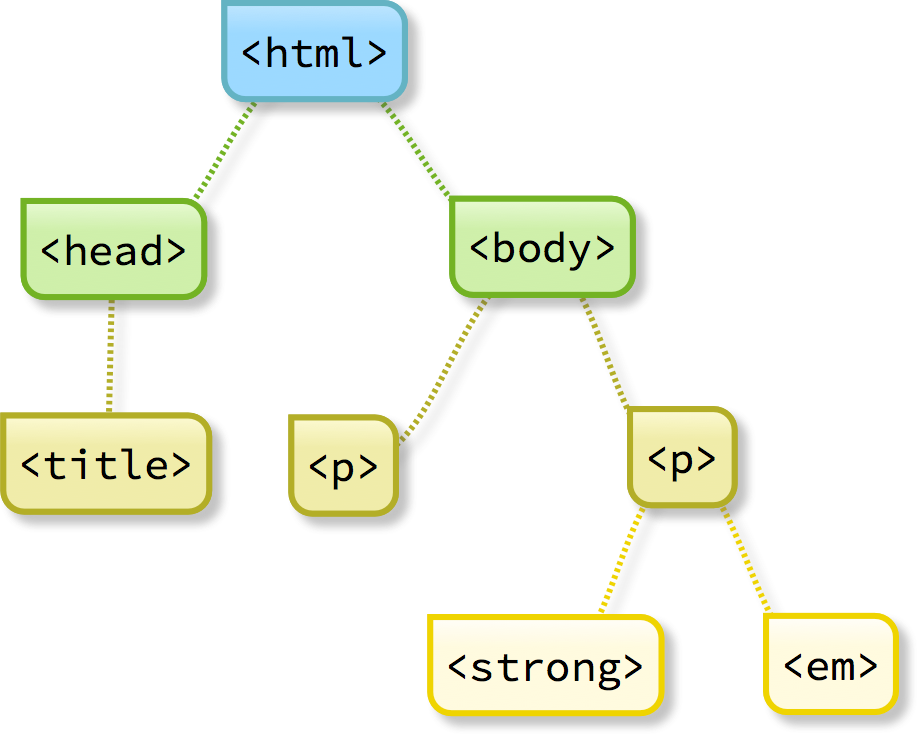
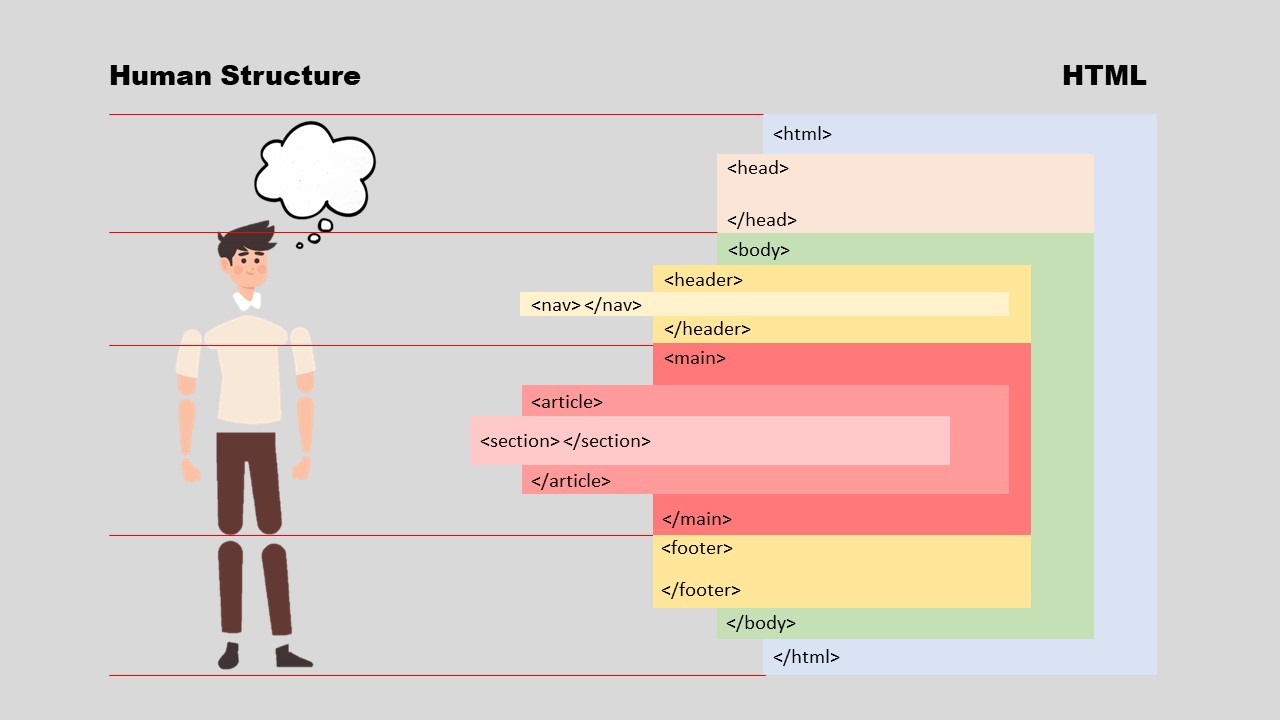
Every HTML page follows a basic structure.
<!DOCTYPE html>
<html>
  <head>
    <title>My First Page</title>
  </head>
  <body>
    <h1>Hello World</h1>
    <p>This is my webpage.</p>
  </body>
</html>
Explanation:
<html>: Wraps the entire page<head>: Contains title and meta information<body>: Contains visible content
Common HTML Tags Beginners Use
<h1>to<h6>– Headings<p>– Paragraph<a>– Links<img>– Images<div>– Grouping content
These tags form the skeleton of the webpage.
Good HTML Practices (Very Important)
1. Properly Nest Your Tags
Tags should close in the correct order.
❌ Wrong:
<p><strong>Hello</p></strong>
✅ Correct:
<p><strong>Hello</strong></p>
2. Use Meaningful Tag Names
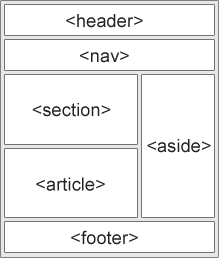
Instead of using only <div>, use semantic tags.
Semantic vs Non-Semantic Tags
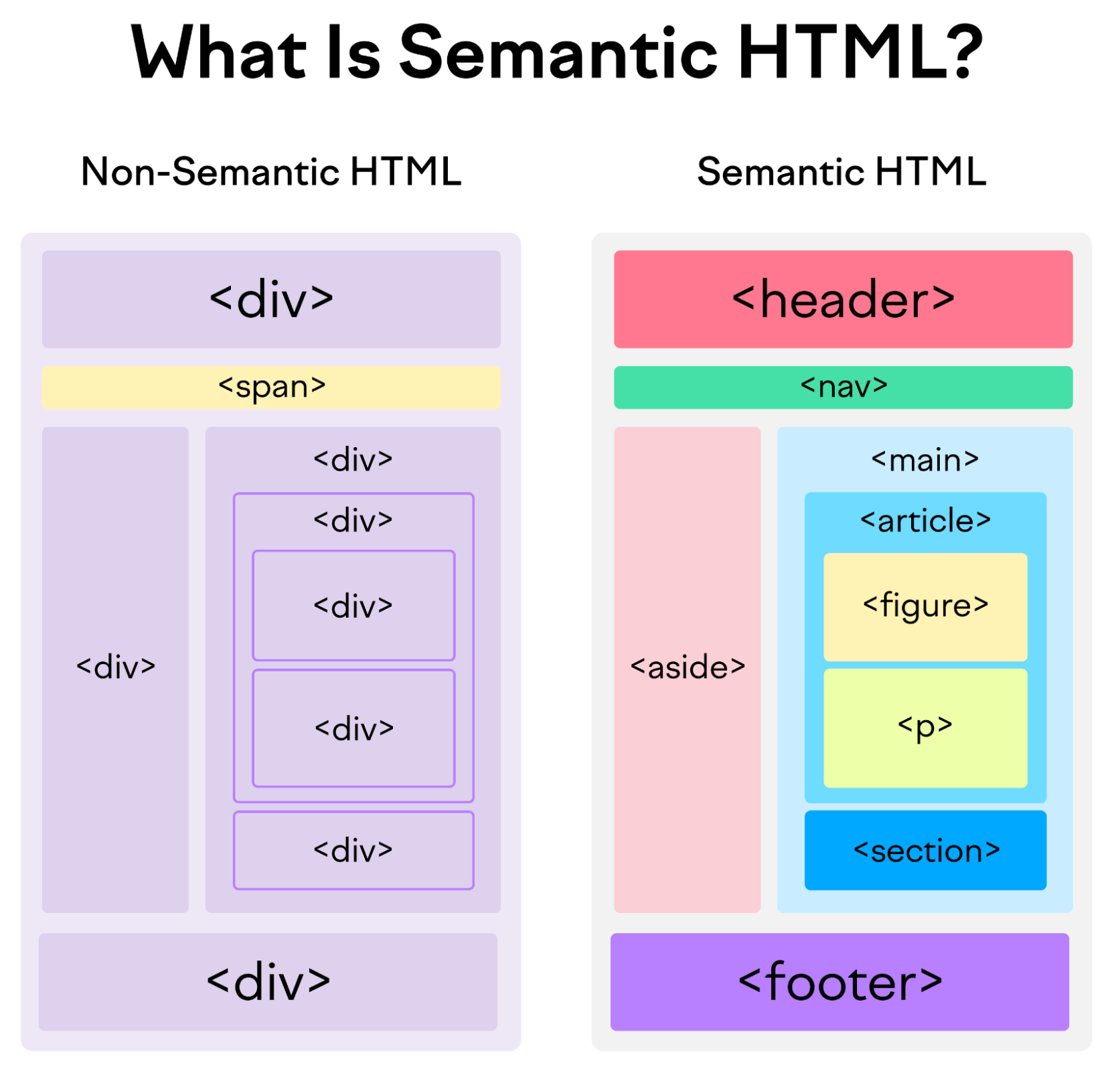
Non-Semantic Tags
<div><span>
They do not explain what content means.
Semantic Tags
<header><nav><section><article><footer>
They describe the purpose of content.
Why Semantic Tags Matter
Better readability
Better SEO
Easier for screen readers
Pros and Cons of HTML
Pros
Easy to learn
No cost (free)
Works on all browsers
Foundation of every website
Cons
Cannot add logic or styling alone
Needs CSS and JavaScript for full websites
Cost and Value for Money
Cost: Free
Value for Money: Extremely high
HTML skills are required for:
Web development
Blogging
Email templates
Frontend frameworks
Final Thoughts
HTML is not about making websites look beautiful—it is about making them structured and meaningful. For beginners in India starting web development, learning HTML is the perfect first step.
Once the skeleton is strong, adding style and interactivity becomes much easier.


